[ SSMS ] INSERT Fail , CONCAT_NULL_YIELDS_NULL, ANSI_WARNINGS , ANSI_PADDING 警告


SET
ANSI_WARNINGS
ANSI_PADDING

SSMS連線時這3個預設都是 on
用下列方式可以確認目前連線的SET內容:1.下指令   2.ssms查詢選項表單
DECLARE @options INT
SELECT @options = @@OPTIONS

PRINT @options
IF ( (1 & @options) = 1 ) PRINT 'DISABLE_DEF_CNST_CHK'
IF ( (2 & @options) = 2 ) PRINT 'IMPLICIT_TRANSACTIONS'
IF ( (4 & @options) = 4 ) PRINT 'CURSOR_CLOSE_ON_COMMIT'
IF ( (8 & @options) = 8 ) PRINT 'ANSI_WARNINGS'
IF ( (16 & @options) = 16 ) PRINT 'ANSI_PADDING'
IF ( (32 & @options) = 32 ) PRINT 'ANSI_NULLS'
IF ( (64 & @options) = 64 ) PRINT 'ARITHABORT'
IF ( (128 & @options) = 128 ) PRINT 'ARITHIGNORE'
IF ( (256 & @options) = 256 ) PRINT 'QUOTED_IDENTIFIER'
IF ( (512 & @options) = 512 ) PRINT 'NOCOUNT'
IF ( (1024 & @options) = 1024 ) PRINT 'ANSI_NULL_DFLT_ON'
IF ( (2048 & @options) = 2048 ) PRINT 'ANSI_NULL_DFLT_OFF'
IF ( (4096 & @options) = 4096 ) PRINT 'CONCAT_NULL_YIELDS_NULL'
IF ( (8192 & @options) = 8192 ) PRINT 'NUMERIC_ROUNDABORT'
IF ( (16384 & @options) = 16384 ) PRINT 'XACT_ABORT' 


下列方式可以設定連線的預設SET內容


處理方向

1.      取消SSMS3個選項再用SSMS試呼叫相同參數看看
2.      在資料庫的連線預設參數中加上這3個選項,php試呼叫看看
3.      為何之前的SP都不會有這情況?參考這3個選項的說明,檢討寫法可以如何調整

第一次用模型遮膠 - nu 鋼


剛好有同事買一台nu鋼
幫他噴一下,因為是SD版,很多顏色地方需要遮膠來補強
所以這篇是分享遮膠的經驗

一樣噴之前要上底漆補土
這裡看到黃色就是遮色膠帶,把要遮地方貼滿


遮膠最困難就是你要剪成你要的形狀


蠻不好噴的,遮膠還是會滲進去 可能貼的不夠密


貼成這樣子


遮膠撕開後的結果


有些噴超出都餘的地方,可用筆再補回來修飾一下


大致上做到這樣就已經很勉強,對一個十幾年沒玩模型的人來說


最後成品出爐囉

不專業的 第2次認真做模型 - Zeta


有別於上一篇模型使用筆塗,終於要來試試噴槍噴出來的效果
加上現在空壓機也超便宜,體積也蠻小的,很適合初學者一般小玩家使用


底下這張就是我第一個噴槍


買的顏料(這次要做的是Zeta,搭配Zeta顏色買了幾瓶


噴槍接好空壓機後的樣子


第一次使用噴槍,顏料跟溶劑比例一定要先試過,
而且建議去買滴管(10元商店),先滴到一個空瓶調過顏色後再倒進噴灌裡
如果沒用完至少明天還可以噴,大致上一個部位(用大約3滴-7滴就足以噴滿了)
沒噴滿或噴不均勻等待乾了之後,再噴一次,讓色澤跟厚度上去

噴槍裝噴漆千萬不要裝滿,真正要噴的其實只有幾公克顏料量
不然很容易塞住

塞住記得趕緊用溶劑徹底的清潔噴槍 , 不然下次用就掛了

每一次噴完收工,也要用溶劑徹底洗清,倒一點溶劑進噴槍,待一小小段時間後
用噴槍把溶劑噴出,直到噴出沒有任何顏色


白色是很好附著,不過也學到教訓,白色基本上直接去外面買白色噴漆就好了


黃色基本上也是(去外面買)只是黃色用到的地方很少,也不好附著
也是等乾了之後,多噴幾次


使用噴槍,我是建議買個槍架,有時候噴一噴要放,平放的話顏料會漏出來,
基本上還是保持垂直放,建議在室外噴,帶上口罩


噴槍噴出來的質感就是不一樣


這些零件建議剪下前先用標籤做編號,同色會一起先噴,到後面零件混稿混


最後就是完成品!!


再上個墨線,用粉灰色(有點像上妝在用的)替鋼彈製造一些陰影

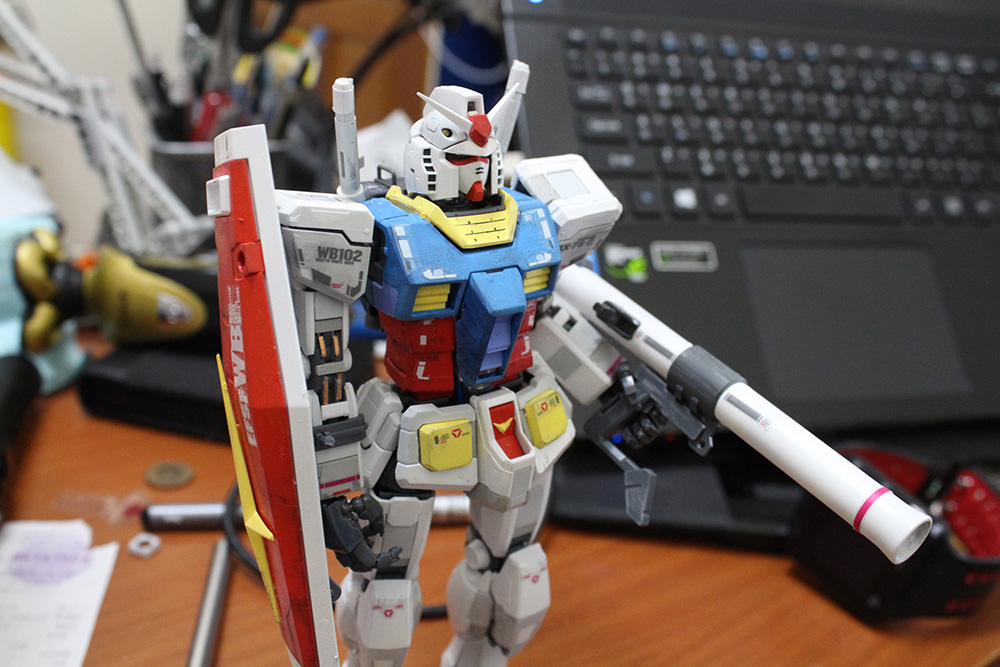
第1次認真做模型 - RX78


這是一個做模型的備忘錄
既高中亂做模型以來,大概有10之久
一直到工作後終於有一個閒暇時間,可以好好買一隻模型來處理
這裡的"好好的"當然比不上專業製作模型的玩家,
是以一個忙碌的情況下,空出多餘的假日來製作

底下是一個RX78用筆塗的情況

筆塗必須上很多次,等乾了之後再上一次,黃色比較好上色一些


藍色部份位基本上要上非常多次,用筆塗的情況先橫的塗完,再直的塗,讓線條塗料平整的上去
反覆的這樣子,乾了再塗一次直到色澤均勻


反覆上色之後


終於許多次反覆上色之後,其實也有不錯的表現


白色部位用筆塗也是很難上的,基本上我還是建議用噴的(苦笑


完成後,筆塗有別於噴漆不同類型的感覺,同事看了其實反而還蠻喜歡筆塗的效果

用 3M 雙面膠 接回Z鋼彈右臂


很不幸的,放在公司的Z鋼彈某天突然右臂連接的地方突然斷了
基本上使用過各種膠,都無法完全癒合

最後看到網友有推薦只種方式,
1.打樁(可是這用在我的情況可能太容易失敗,因為區域太小
鑽下去可能會直接裂開 ,但也有可能是我沒有專業的鑿的工具)
2.重新造一個(用水晶土複製一個)
3.3M膠(可能對我來說是最簡便的 , 請看以下)
4.某模型店推薦用快乾粘,實際使用後只能撐不到幾分鐘又掛點


粘了之後 留下許多殘膠先清理乾淨


剪下一小塊 3M雙面膠粘貼 ( 跟3M使用方法一樣 靜置24小時,用力按壓30秒)


Z鋼彈又復活了!

在 FMS 寫 CODE


此篇為備忘錄

拿 Flash Media Server 來做視頻串流 不外乎就可以做
錄影,與額外的規範

可使用的內建方法可參考官方
https://helpx.adobe.com/adobe-media-server/ssaslr/application-class.html

實際存放CODE的位置在

C:\Program Files (x86)\Adobe\Flash Media Server 4.5\applications\live

範例 CODE 如下
底下實作一個,當呼叫 rtmp URL後 做出相對應輸入參數的判斷邏輯
 // mark - add application.doCheckClient = function() { var count = application.clients.length ; for(i = 0 ; i < count ; i++) { var target = application.clients[i] ; var server_id = target.server_id ; var no_run = target.no_run ; var no_active = target.no_active ; var game_status = target.game_status ; var check_value = no_run + "," + no_active + "," + game_status ; if(check_value != application.src_list[server_id]) { trace("loop-stop-it") ; application.disconnect(application.clients[i]) ; } else { trace("loop-it") ; } } } /* * application.onAppStart: * is called when application load. It contains Live (out of the box) * application specific initializations. */ application.onAppStart = function() { // Logging trace("Starting Live Service..."); // Turning on the Authentication by default this.HTMLDomainsAuth = true; this.SWFDomainsAuth = true; // Populating the list of domains which are allowed to host HTML file // which in turn may embed a SWF that connects to this application this.allowedHTMLDomains = this.readValidDomains("allowedHTMLdomains.txt","HTMLDomains"); // Populating the list of domains which are allowed to host a SWF file // which may connect to this application this.allowedSWFDomains = this.readValidDomains("allowedSWFdomains.txt","SWFDomains"); // Logging if(this.HTMLDomainsAuth){ trace("Authentication of HTML page URL domains is enabled"); } if(this.SWFDomainsAuth){ trace("Authentication of SWF URL domains is enabled"); } trace("...loading completed."); // mark - add - start application.src_list = Array() ; setInterval(this.doCheckClient , 2000) ; // mark - add - end } /* * application.validate: * function to validate a given URL by matching through a list of * allowed patterns. * * Parameters: * url: contains the input url string. * patterns: Array; an array of permmited url patterns. * * return value: * true; when 'url domain" contains a listed domains as a suffix. * false; otherwise. */ application.validate = function( url, patterns ) { // Convert to lower case url = url.toLowerCase(); var domainStartPos = 0; // domain start position in the URL var domainEndPos = 0; // domain end position in the URL switch (url.indexOf( "://" )) { case 4: if(url.indexOf( "http://" ) ==0) domainStartPos = 7; break; case 5: if(url.indexOf( "https://" ) ==0) domainStartPos = 8; break; } if(domainStartPos == 0) { // URL must be HTTP or HTTPS protocol based return false; } domainEndPos = url.indexOf("/", domainStartPos); if(domainEndPos>0) { colonPos = url.indexOf(":", domainStartPos); if( (colonPos>0) && (domainEndPos > colonPos)) { // probably URL contains a port number domainEndPos = colonPos; // truncate the port number in the URL } } for ( var i = 0; i < patterns.length; i++ ) { var pos = url.lastIndexOf( patterns[i]); if ( (pos > 0) && (pos < domainEndPos) && (domainEndPos == (pos + patterns[i].length)) ) return true; } return false; } /* * application.onConnect: * Implementation of the onConnect interface function (optional). * it is invoked whenever a client connection request connection. Live app uses this * function to authenticate the domain of connection and authorizes only * for a subscriber request. */ // 用戶端連線 // 取得GET參數 // (1)轉換成serverid,norun,noactive,gamestatus [或其他] // (2)呼叫取得gs狀態api [或其他] // 比對(1)和(2)的結果字串:不一致則斷線 // [todo?] 每N分鐘重新檢查 application.onConnect = function( p_client, p_autoSenseBW ) { // mark - add - start trace("client-uri=" + p_client.uri) ; var uri = p_client.uri ; var start_index = uri.indexOf("?") + 1 ; var info = "" ; if(start_index != 0) { info = uri.slice(start_index) ; info = info.split("=")[1] ; sub_info = info.split(",") ; p_client.server_id = sub_info[0] ; p_client.no_run = sub_info[1] ; p_client.no_active = sub_info[2] ; p_client.game_status = sub_info[3] ; } else { p_client.server_id = "" ; p_client.no_run = "" ; p_client.no_active = "" ; p_client.game_status = "" ; } trace("info = " + info) ; trace("server_id = " + p_client.server_id) ; trace("no_run = " + p_client.no_run) ; trace("no_active = " + p_client.no_active) ; trace("game_status = " + p_client.game_status) ; var api_loader = new LoadVars(); api_loader.onData = function(src) { trace("api_loader.onData-start") ; if (src == undefined) { trace("Error loading content.") ; return false ; } // 0604250002,011118022,1182,4 var check_value = p_client.no_run + "," + p_client.no_active + "," + p_client.game_status ; trace("check_value = " + check_value) ; trace("src = " + src) ; application.src_list[p_client.server_id] = src ; // trace("show====" + application.src_list[p_client.server_id]) ; if(src == check_value) { trace("client pass") ; } else { trace("client cant pass") ; application.disconnect(p_client) ; return false ; } } ; api_loader.decode("serverid="+p_client.server_id) ; // http://ddd.bacc1688.com:8933/GetServerInfo.aspx?serverid=0604250002 var url = "http://ddd.bacc1688.com:8933/GetServerInfo.aspx" ; trace("api url = " + url) ; api_loader.load(url) ; // mark - add - end // Check if pageUrl is from a domain we know. // Check pageurl // A request from Flash Media Encoder is not checked for authentication if( (p_client.agent.indexOf("FME")==-1) && (p_client.agent.indexOf("FMLE")==-1)) { // Authenticating HTML file's domain for the request : // Don't call validate() when the request is from localhost // or HTML Domains Authentication is off. if ((p_client.ip != "127.0.0.1") && application.HTMLDomainsAuth && !this.validate( p_client.pageUrl, this.allowedHTMLDomains ) ) { trace("Authentication failed for pageurl: " + p_client.pageUrl + ", rejecting connection from "+p_client.ip); return false; } // Authenticating the SWF file's domain for the request : // Don't call validate() when the request is from localhost // or SWF Domains Authentication is off. if ((p_client.ip != "127.0.0.1") && application.SWFDomainsAuth && !this.validate( p_client.referrer, this.allowedSWFDomains ) ) { trace("Authentication failed for referrer: " + p_client.referrer + ", rejecting connection from "+p_client.ip); return false; } // Logging trace("Accepted a connection from IP:"+ p_client.ip + ", referrer: "+ p_client.referrer + ", pageurl: "+ p_client.pageUrl); }else{ // Logging trace("Adobe Flash Media Encoder connected from "+p_client.ip); this.acceptConnection(p_client); } // As default, all clients are disabled to access raw audio and video and data bytes in a stream // through the use of BitmapData.draw() and SoundMixer.computeSpectrum()., Please refer // Stream Data Access doccumentations to know flash player version requirement to support this restriction // Access permissions can be allowed for all by uncommenting the following statements //p_client.audioSampleAccess = "/"; //p_client.videoSampleAccess = "/"; this.acceptConnection(p_client); // A connection from Flash 8 & 9 FLV Playback component based client // requires the following code. if (p_autoSenseBW) p_client.checkBandwidth(); else p_client.call("onBWDone"); trace(" @@@ onconnect-end @@@ "); } application.onStatus = function(info){ trace("code: " + info.code + " level: " + info.level); trace(info.code + " details: " + info.details); }; /* * Client.prototype.getPageUrl * Public API to return URL of the HTML page. * */ Client.prototype.getPageUrl = function() { return this.pageUrl; } /* * Client.prototype.getReferrer * Public API to return Domain URL of the client SWF file. * */ Client.prototype.getReferrer = function() { return this.referrer; } /* * FCPublish : * FME calls FCPublish with the name of the stream whenever a new stream * is published. This notification can be used by server-side action script * to maintain list of all streams or also to force FME to stop publishing. * To stop publishing, call "onFCPublish" with an info object with status * code set to "NetStream.Publish.BadName". */ Client.prototype.FCPublish = function( streamname ) { // setup your stream and check if you want to allow this stream to be published if ( true) // do some validation here { // this is optional. this.call("onFCPublish", null, {code:"NetStream.Publish.Start", description:streamname}); } else { this.call("onFCPublish", null, {code:"NetStream.Publish.BadName", description:streamname}); } } /* * FCUnpublish : * FME notifies server script when a stream is unpublished. */ Client.prototype.FCUnpublish = function( streamname ) { // perform your clean up this.call("onFCUnpublish", null, {code:"NetStream.Unpublish.Success", description:streamname}); } /* * releaseStream : * When FME connection to FMS drops during a publishing session it will * try and republish the stream when connection is restored. On certain * occasions FMS will reject the new stream because server is still * unaware of the connection drop, sometimes this can take a few minutes. * FME calls "releaseStream" method with the stream name and this can be * used to forcibly clear the stream. */ Client.prototype.releaseStream = function(streamname) { s = Stream.get(streamname); s.play(false); } /* * application.readValidDomains * Function to read Allowed domain file * Parameters: * fileName: * name of the file in the application directory * which contains one valid domain name per line. This file can contain * comments followed by a '#' as the very first charector in that line. * a non-comment entry with a space is considered as an error case. * * returns * an array in which each entry contains a domain name * listed in the file. */ application.readValidDomains = function( fileName , domainsType ) { trace("filename="+fileName); var domainFile = new File(fileName); var domainsArray = new Array(); var index = 0; var lineCount = 0; var tempLine; domainFile.open("text", "read"); // Read the file line-by-line and fill the domainsArray // with valid entries while (domainFile.isOpen && ! domainFile.eof() ) { tempLine = domainFile.readln(); lineCount++; if( !tempLine || tempLine.indexOf("#") == 0) { continue; } tempLine = tempLine.trim(); if(tempLine.indexOf(" ")!=-1) { trace("undesired , domain entry ignored. "+fileName+":"+(lineCount+1)); } else { domainsArray[index] = tempLine.toLowerCase(); index++; if(tempLine == "*") { switch (domainsType){ case "HTMLDomains": trace ("Found wildcard (*) entry: disabling authentication for HTML file domains ") ; application.HTMLDomainsAuth = false; break; case "SWFDomains": trace ("Found wildcard (*) entry: disabling authentication for SWF file domains ") ; this.SWFDomainsAuth = false; break; default: // Do nothing break; } } } } // End while // Something is wrong! the domains file must be accessible. if( !domainFile.isOpen){ trace("Error: could not open '"+fileName+"', rejecting all clients except localhost. "); } else { domainFile.close(); } return domainsArray; } /** * String.prototype.trim: * Function to trim spaces in start an end of an input string. * returns: * a trimmed string without any leading & ending spaces. * */ String.prototype.trim = function () { return this.replace(/^\s*/, "").replace(/\s*$/, ""); } application.onPublish = function(client, stream){ trace("onPublish.client.uri=" + client.uri); } 

php 與 XML


此篇為備忘錄


假設有個XML檔長這樣:

<ROOT>
 <A ATTR1="value1" ATTR2="value2">
  <B>Hello</B>
  <B>Again</B>
  <C ATTR3="value3">Bye Bye</C>
 </A>
 <A ATTR1="value4" ATTR2="value5">
  <B>This</B>
  <B>is a test</B>
  <C ATTR3="value6">See you next time!</C>
 </A>
</ROOT>

PHP的程式碼長這樣:
<?php
 $url="test.xml";
 $xml = simplexml_load_file($url);
 echo (string)$xml->A[0]->B[0]."<BR>";
 echo (string)$xml->A[0]->B[1]."<BR>";
 echo (string)$xml->A[1]->B[0]."<BR>";
 echo (string)$xml->A[1]->B[1]."<BR>";
 echo (string)$xml->A[1]->C[0]."<BR>";
 echo (string)$xml->A[0]["ATTR1"]."<BR>";
 echo (string)$xml->A[0]["ATTR2"]."<BR>";
 echo (string)$xml->A[0]->C[0]["ATTR3"]."<BR>";
 echo (string)$xml->A[1]["ATTR1"]."<BR>";
 echo (string)$xml->A[1]["ATTR2"]."<BR>";
 echo (string)$xml->A[1]->C[0]["ATTR3"]."<BR>";
?>
source : http://wp.mlab.tw/?p=1790

VerifyError: Error #1014 找不到類別


此為備忘錄


編譯出現

VerifyError: Error #1014  找不到類別
兩種可能

1.一種當然就是你真的忘記匯入此類別
2.一種就是 flash builder 異常

       2.1.將 flash builder 內 swc 移除
       2.2.將 flash builder 隸屬的專案 移除
       2.3.重新 匯入一次即可